Open Microsoft Works files on Windows — no Works install Including .wdb databases
Export Works documents, spreadsheets, and databases to DOCX, XLSX, PDF, and CSV on your Windows PC—without hunting down a legacy Works install.
Free Windows trial on PC · 10 files
Free trial · 10 files · Standard from $39.95, one-time
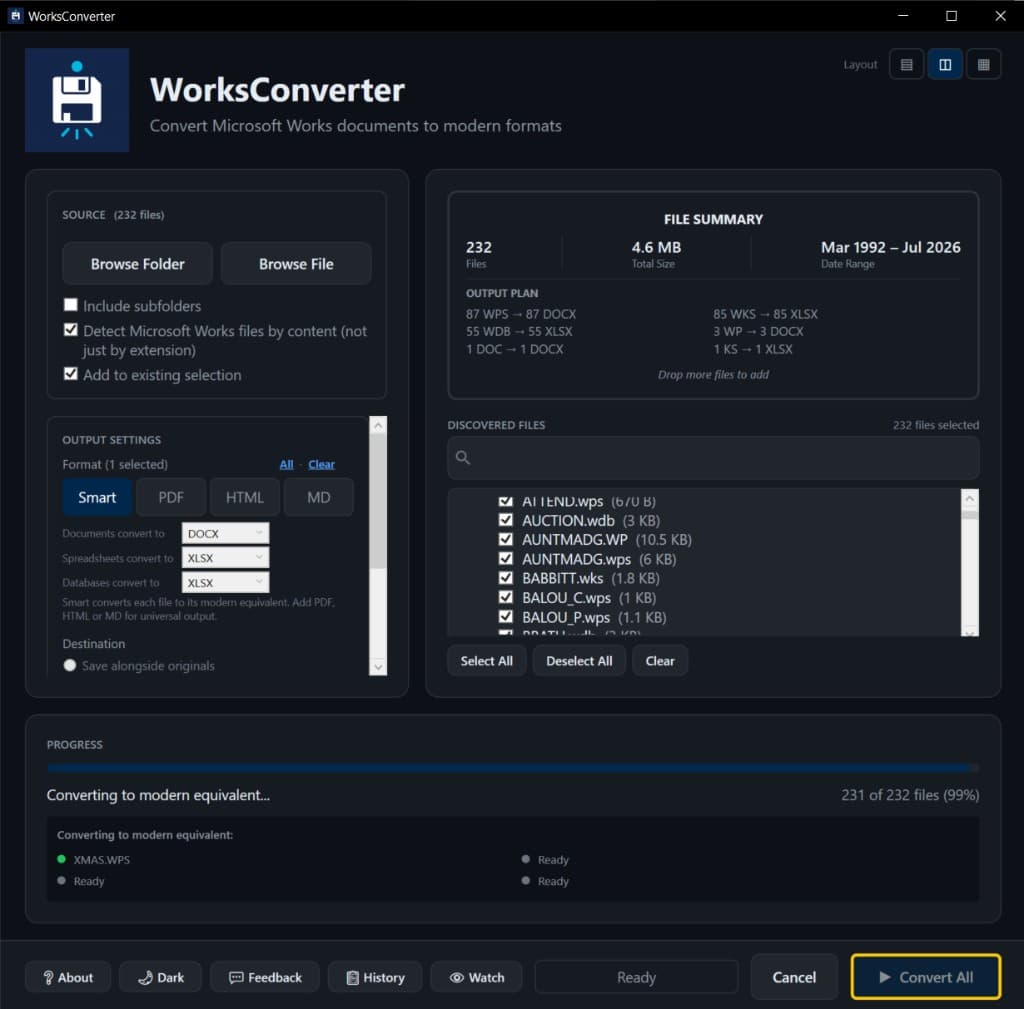
Don't Risk Legacy Works Files with Free Cloud Converters
Microsoft Works archives often contain letters, reports, payroll sheets, pricing models, client ledgers, and regulated operational records.
The Risk
Cloud converters may retain confidential documents and spreadsheets or process them outside your approved data boundaries.
The Scale Problem
Opening files one at a time does not work for departmental archives or acquisition data rooms.
The Format Gap
Old .wps, .wks, .xlr, .wdb, and .wpt files need modern outputs before teams can search, analyze, or preserve them.
Popular Microsoft Works conversions
Jump straight to a step-by-step guide for the file type you have.
WPS → Word
Turn Microsoft Works documents into editable DOCX.
WPS → PDF
Save Works documents as shareable, printable PDFs.
XLR / WKS → Excel
Reopen Works spreadsheets in Excel as clean XLSX.
WDB → Excel / CSV
Rescue Works database records into a real table.
Open .wps files
Can’t open a .wps file? Here’s the reliable fix.
You converted the files. Now search them.
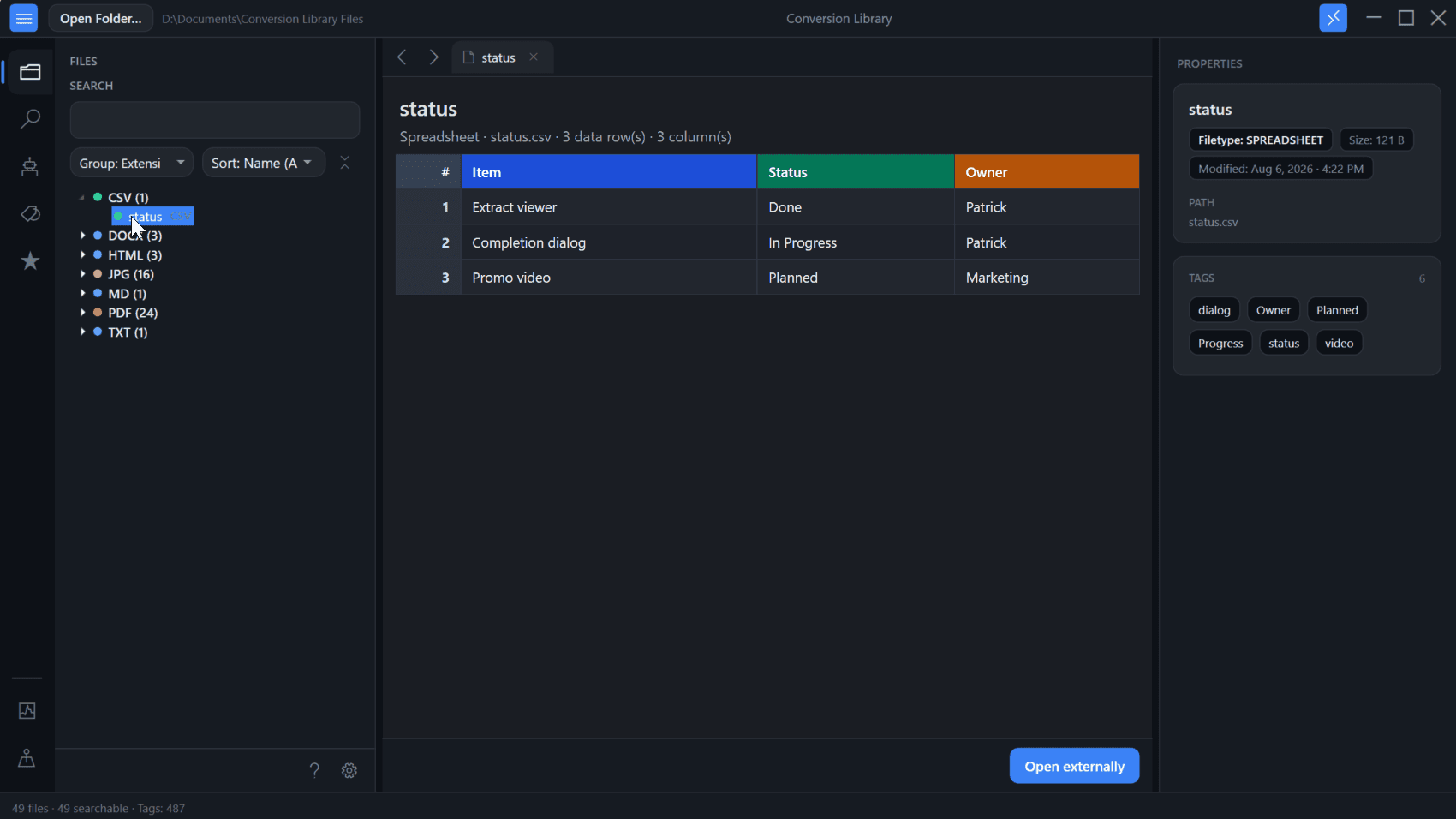
Standard converts Microsoft Works documents, spreadsheets, and databases on this PC. Plus unlocks Conversion Library — a private library of the files you converted. Search, tags, knowledge maps, and document/spreadsheet previews. Same installer. Unlock with a Plus key.
- Full-text search across converted documents and spreadsheets on this PC
- Tags and knowledge maps for related Works files
- Built-in previews — Word, Excel, PDF, and more
- Find that old letter, payroll sheet, or client ledger without opening every file
- Same MSI — unlock Plus with a key anytime
Plus add-on $29.95 if you already have Standard. Standard + Plus from the start is $69.90.
Built for real Microsoft Works files
Five capabilities that matter when you need documents, spreadsheets, and databases open again—without Microsoft Works.
No Microsoft Works needed
Standalone Windows app with a bundled conversion engine. No Works Suite install, no Office add-ins, no hunting for old CDs—install and open your files.
.wps → DOCX
Open Microsoft Works word processor documents as editable Word files—or export PDF when you need a shareable, printable copy.
.xlr / .wks → XLSX
Reopen Works spreadsheets in Excel as clean XLSX—ready for review, formulas, and modern workflows.
.wdb → CSV
Works databases are the differentiator. Export .wdb records to CSV (or Excel) so client ledgers, inventories, and contact lists become real tables again.
Bulk & folder processing
Point at a file, a folder, or an archive tree. Convert thousands of Works files in one pass instead of opening them one at a time.
Supported formats
Convert common Microsoft Works word processor, spreadsheet, and database files into modern formats for review, archive, analytics, and AI preparation.
Inputs
.wps, .wpt, .wks, .xlr, .wdb
Outputs
DOCX, PDF, XLSX, HTML, Markdown, RTF, ODT, TXT, CSV
Simple, Transparent Pricing
One-time purchase. No subscriptions. No hidden fees.
Start with the full-feature trial — test up to 10 Microsoft Works files on your PC, then choose personal or commercial.
Business seats: Commercial Standard $500 · Commercial Plus $750 — choose This is for work below.
Free Windows trial on PC · 10 files
Step 1
Who is this for?
Step 2
Choose Standard or Standard + Plus
Products are Standard and Plus — licensed for personal use.
Standard
one-time · personal use
- Unlimited Microsoft Works conversions
- .wps, .wpt, .wks, .xlr, .wdb input support
- All 9 output formats
- Lifetime access to version 6.x
- Bulk & folder processing
- Free lifetime updates
- 30-day money-back guarantee
Want search and document previews? Conversion Library Plus is an add-on ($29.95).
Standard + Plus
one-time · personal · two licenses
- Standard (unlimited conversions)$39.95
- Plus (Conversion Library)$29.95
- Full-text search across converted documents & spreadsheets
- Tags and knowledge maps for related Works files
- Built-in Word, Excel, and PDF previews
- Same installer as Standard — unlock with a Plus key
- Nothing is uploaded — library stays on this PC
Already have Standard? Add Plus ($29.95)
Need more than Microsoft Works files?
Legacy File Converter · from $79.95
WordPerfect, Lotus, images, and 100+ legacy formats — fully offline on your PC, from the same team.
Industry solutions
Microsoft Works archives are most common in firms with long-lived operational, financial, and compliance records.
Vote on the Works File Converter roadmap
The public roadmap uses the same feature options managed in the admin dashboard, so visitor votes and admin priorities stay aligned.
Formula and named-range preservation report
Flag formulas, named ranges, and calculation areas that may need review after Microsoft Works-to-Excel conversion.
Archive ZIP batch input
Drop a ZIP of Microsoft Works files into the app and convert the extracted spreadsheet set into a mirrored output folder.
Conversion QA sampling report
Generate a review checklist that samples converted files by extension, folder, and result status for migration sign-off.
CSV encoding and delimiter presets
Choose delimiter, quote, and encoding presets for downstream analytics, database imports, and legacy ETL pipelines.
Command-line batch runner
Run repeatable Microsoft Works conversion jobs from scripts for IT teams, records departments, and locked-down migration workstations.
FAQ
Does Works File Converter require Microsoft Works to be installed?
No. It is a standalone Windows application that uses a bundled conversion engine and does not require Microsoft Works.
Do my files leave my computer?
No. Conversion happens on your Windows computer. Files are not uploaded to our servers.
Is there a free trial?
Yes. The free trial lets you convert up to 10 files to test the software.
What is Conversion Library Plus?
Standard converts Microsoft Works documents, spreadsheets, and databases on your PC. Plus unlocks Conversion Library — search, tags, knowledge maps, and document/spreadsheet previews of the files you converted. Same installer; unlock with a Plus key ($29.95 add-on, or $69.90 for Standard + Plus). Learn more about Conversion Library.